Back at Yoox, our team lived in two parallel dimensions. The digital board on Jira tracked every movement, every state transition, every comment. But it was the physical board, that wall of colorful post-its in the open space, that gave shape to our work. We just had to look up to understand where we were, what was missing, who needed help. There was no need to open browsers, navigate tabs, filter views. The work was simply there, tangible, present in the same physical space we shared with our bodies.
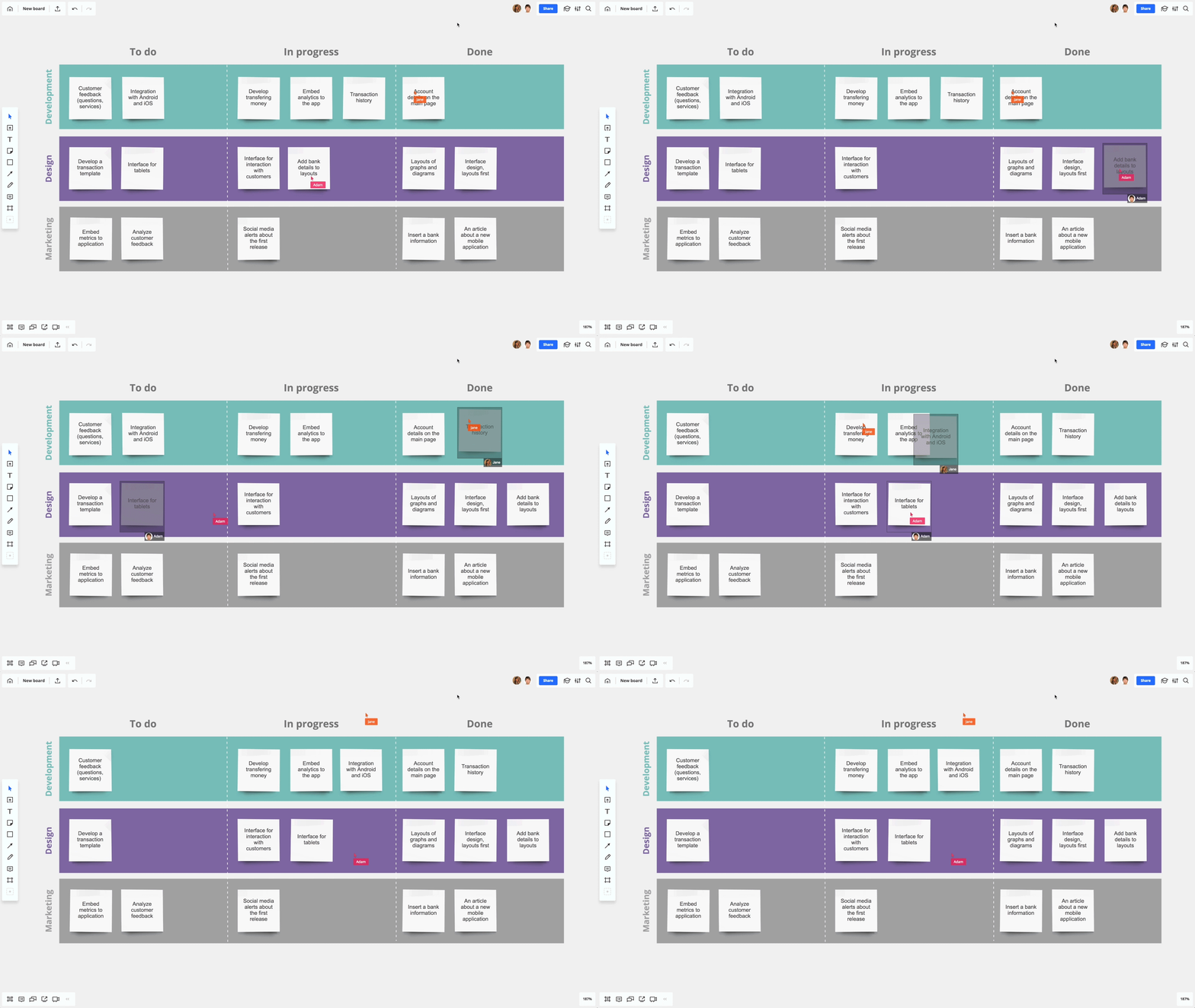 Tasks flowing through swim lanes - the visual rhythm of work in motion
When remote working became the norm, that second dimension disappeared. There’s no longer a shared wall, no more post-its to move during stand-ups. Everything lives on screens, in that thin membrane of pixels separating our bodies from the work we do. And something, silently, gets lost.
PhabPrint was born from this reflection: physicality isn’t nostalgia, it’s mental presence. A task that exists only in digital form can be minimized, hidden, forgotten. A piece of paper on your desk occupies real space, creates weight, demands attention. It doesn’t compete with notifications or red badges. It simply exists, patient, next to your coffee mug and keyboard.
For those working fully remote, recreating that tangible dimension becomes even more important. There are no colleagues passing by your desk, no stand-ups in front of a wall of post-its. The day risks becoming an undifferentiated sequence of video calls and Slack notifications. Printing a task, hanging it on a personal board, physically moving it when its state changes – these are actions that bring the body back into the work loop, not just the mind. And the body remembers better than the eyes.
The Information Flow
PhabPrint’s architecture is deliberately linear. No distributed queues, no microservices, no complexity hiding simplicity. Just a clear flow of information traversing thin layers of transformation:
┌──────────────────────┐
│   Phabricator        │
│   Conduit API        │
│   maniphest.search   │
└──────────┬───────────┘
           │
           │ HTTP Polling
           │ (every 15 minutes)
           │
           ▼
┌──────────────────────┐
│   PhabPrint Service  │
│   Node.js            │
└──────────┬───────────┘
           │
           │ Task filtering:
           │ • Sprint columns
           │ • Assignee (your PHID)
           │ • Status (open)
           │ • Cache (avoid duplicates)
           │
           ▼
┌──────────────────────┐
│   ESC/POS Formatter  │
│   Receipt layout     │
└──────────┬───────────┘
           │
           │ Print commands
           │ (font, alignment,
           │  paper cut)
           │
           ▼
┌──────────────────────┐
│   Thermal Printer    │
│   USB/Network        │
└──────────┬───────────┘
           │
           ▼
       📄 Ticket
Every task entering a column configured as “sprint” is automatically transformed into a physical receipt. The system keeps track of what it has already printed to avoid duplicates, but allows resetting this cache when a new sprint begins.
The Code Anatomy
The heart of the system lives in a few hundred lines of JavaScript. The first challenge is communicating with Phabricator. Our instance runs on Wikimedia infrastructure, which uses TLS fingerprinting to block standard HTTP clients like axios or fetch. The solution is to use curl directly:
async
conduitCall(method, params = {})
{
    const url = `${this.baseUrl}/${method}`;
    const curlArgs = ['--data-urlencode', `api.token=${this.apiToken}`];

    // Phabricator uses PHP-style form encoding for nested parameters
    const flatParams = this.flattenParams(params);
    for (const [key, value] of Object.entries(flatParams)) {
        curlArgs.push('--data-urlencode', `${key}=${value}`);
    }

    const curlCmd = `curl -s -X POST ${curlArgs.map(a => `'${a}'`).join(' ')} '${url}'`;
    const output = execSync(curlCmd, {encoding: 'utf-8'});

    const data = JSON.parse(output);
    if (data.error_code) {
        throw new Error(`Phabricator API error: ${data.error_info}`);
    }

    return data.result;
}
The flattenParams function transforms nested JavaScript objects into the format Phabricator expects. For example,
{ constraints: { assigned: ['PHID-USER-123'] } } becomes constraints[assigned][0]=PHID-USER-123.
Task filtering leverages the API’s attachments, which allow retrieving not just basic data but also relationships with projects and columns:
async
getSprintTasks()
{
    const result = await this.conduitCall('maniphest.search', {
        constraints: {
            assigned: [this.userPhid],
            statuses: ['open'],
        },
        attachments: {
            projects: true,
            columns: true,
        },
        limit: 100,
    });

    // Filter only tasks in columns containing sprint keywords
    const sprintKeywords = ['sprint', 'to do', 'in progress', 'doing'];

    return result.data.filter(task => {
        const columnsData = task.attachments?.columns?.boards;
        if (!columnsData) return false;

        return Object.values(columnsData).some(board =>
            board.columns.some(col =>
                sprintKeywords.some(keyword =>
                    col.name.toLowerCase().includes(keyword)
                )
            )
        );
    });
}
This approach allows flexibility: each team can configure their own column names without modifying code, simply by
updating the SPRINT_COLUMNS environment variable.
The printing part uses the escpos library, which abstracts ESC/POS commands (the de facto standard for thermal
printers). Each receipt follows a precise layout:
async
printTask(task)
{
    const device = new this.escpos.USB();
    const printer = new this.escpos.Printer(device, {encoding: 'UTF-8'});

    return new Promise((resolve, reject) => {
        device.open(err => {
            if (err) return reject(err);

            const maxWidth = config.printer.paperWidth === 80 ? 48 : 32;
            const separator = '─'.repeat(maxWidth);

            printer
                // Header: centered and large Task ID
                .font('a')
                .align('ct')
                .size(2, 2)
                .style('b')
                .text(task.id)
                .size(1, 1)
                .style('normal')
                .text(separator)

                // Body: title and metadata
                .align('lt')
                .style('b')
                .text(this.truncate(task.title, maxWidth))
                .style('normal')
                .text('')
                .text(`Priority: ${task.priority}`)
                .text(`Points:   ${task.points}`)
                .text(`Status:   ${task.status}`)
                .text('')
                .text(`Column: ${task.columns.join(', ')}`)
                .text('')

                // Footer: URL and cut
                .text(separator)
                .align('ct')
                .font('b')
                .text(task.url)
                .feed(4)
                .cut()
                .close();

            this.markPrinted(task.id);
            resolve(true);
        });
    });
}
The caching system is intentionally simple: a JSON file that tracks the IDs of already-printed tasks. When PhabPrint
restarts, it loads this cache to avoid reprinting everything. A --clear-cache command allows resetting at the
beginning of each sprint.
The Philosophy of the Tangible
There’s something almost zen about watching a task materialize. The hum of the printer, the unrolling of paper, the final click when the receipt detaches. It’s not just sensory feedback, it’s a ritual that marks the boundary between digital and physical, between abstract and concrete.
 The thermal printer knows when you’re about to relax - and it has other plans
For remote workers, these rituals become even more important. There are no colleagues passing by your desk, no stand-ups in front of a wall of post-its. The day risks becoming an undifferentiated sequence of video calls and Slack notifications. Printing a task, hanging it on a personal board, physically moving it when its state changes – these are gestures that bring the body back into the work loop.
The receipts printed by the thermal printer become the building blocks to reconstruct that physical board we had at Yoox. A whiteboard, some colored tape to create columns, a few magnets. Every morning, the same ritual: print new tasks, attach them in the “To Do” column, move them to “In Progress” when you start working on them, slide them into “Done” at the end of the day.
 A physical Kanban board with swim lanes - the same feeling we’re recreating with thermal printed tasks
It’s the same feeling as that wall in the open space, but in the solitude of remote working. The difference is that now you build that board yourself, in the times and ways that work for you. It’s not a nostalgic replica of the office, it’s a personal space that brings back that sense of visual and tangible progress that screens can’t provide.
And then there’s the jar. Or the container, or the box, call it what you want. When a task is completed, you detach it from the board, crumple it up, and let it fall inside. A simple gesture, almost childishly satisfying. But at the end of the year, when you empty that container, you find yourself facing a physical mass of completed work. They’re not numbers on a dashboard, not burndown charts, not completed story points. They’re real objects that occupy volume, that have weight. You can see how much you’ve done, not in abstract terms but in terms of filled space. It’s a strange feeling, almost moving, to realize how many things pass through your hands in a year, how many problems solved, how many features delivered, how many reviews done. The digital doesn’t give you this. The digital compresses everything into bits, into archived notifications, into tickets with “Resolved” status. But those crumpled receipts in the jar, they speak of lived time, of work done, of presence.
It’s not nostalgia for the office. It’s the recognition that we are embodied beings, that our thinking doesn’t live only in our heads but also in our hands, in our eyes, in the movements we make in space. A digital task is a pure abstraction. A receipt on the desk is an object that exists alongside other objects, that creates spatial relationships, that can be touched, moved, forgotten on the table and found again after lunch.
PhabPrint doesn’t solve productivity or project management problems. It won’t make you close more tasks or write better code. But maybe, just maybe, it will make your work a little more present, a little more real, a little more yours.
The complete code is available on GitHub: https://github.com/alexghirelli/PhabPrint
Configuration requires only a .env file with your Phabricator credentials and a twenty-dollar USB thermal printer. The
rest is silence, paper, and the quiet satisfaction of seeing work materialize.